
Talk where the work is.
Meddioo Messenger is part of Meddioo Desktop.
Write, call, and show your screen without leaving the project. Messenger stands beside any part of the app or fills the window, and it rings while the app is in the tray.
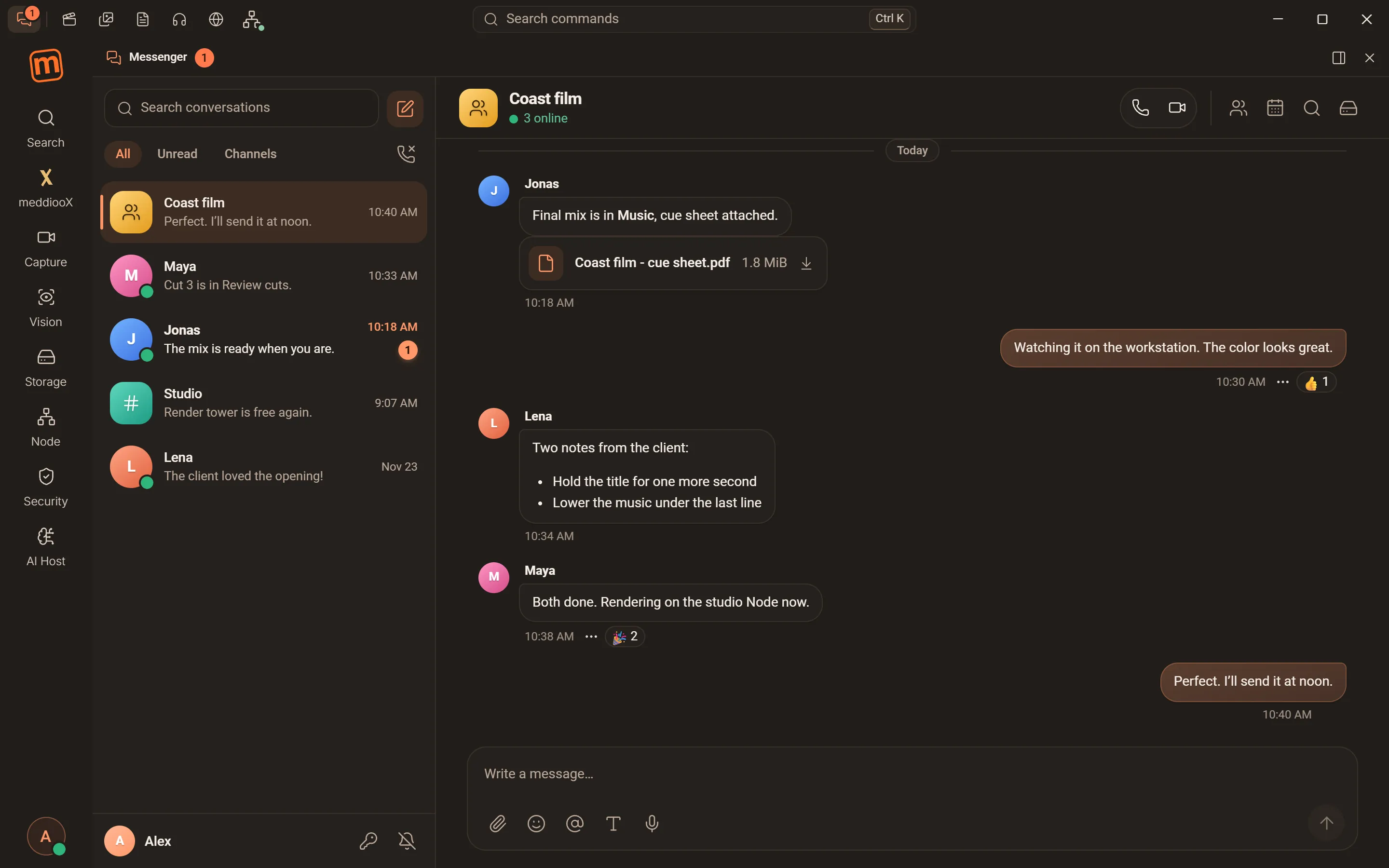
Meddioo Desktop in its default theme, with example data.
What you can do.
Conversations
Direct messages, groups, channels, threads, reactions, mentions, and search.
Voice and video
Voice and video notes, calls, and meetings in which you can show your screen.
Files
Send files in a conversation, up to 8 MB each.
Share from a Node
Give people access to a file on your Node for as long as you choose. Taking it back stops further reading.
Private rooms
Open an end-to-end encrypted room when a conversation needs one.
Presence
Show that you are online or busy, or appear offline.
How it works.
Open Messenger
It stands in the title bar, beside everything else.
Choose people
Start a direct message, a group, or a channel.
Share from your Node
Choose a file, the people, and how long they may read it.
Good to know.
- The Meddioo server that delivers ordinary conversations can read them. Private rooms are end-to-end encrypted; their protocol has not had an independent review yet.
- A call needs a network path to the call server.
Built into Meddioo Desktop. The app is in development; features and supported systems are confirmed with each release.
Continue exploring.
What will you keep private? What will you share?
Meddioo.net is a vision for both: a network you control, and a marketplace for what you choose to offer.
Explore Ways to Participate