
Describe it. Find the moment.
Meddioo Vision indexes your own media on your own computer.
Add folders, and Vision looks at pictures and video frames and can listen to speech. Then describe a scene or a spoken line, and open the exact moment.
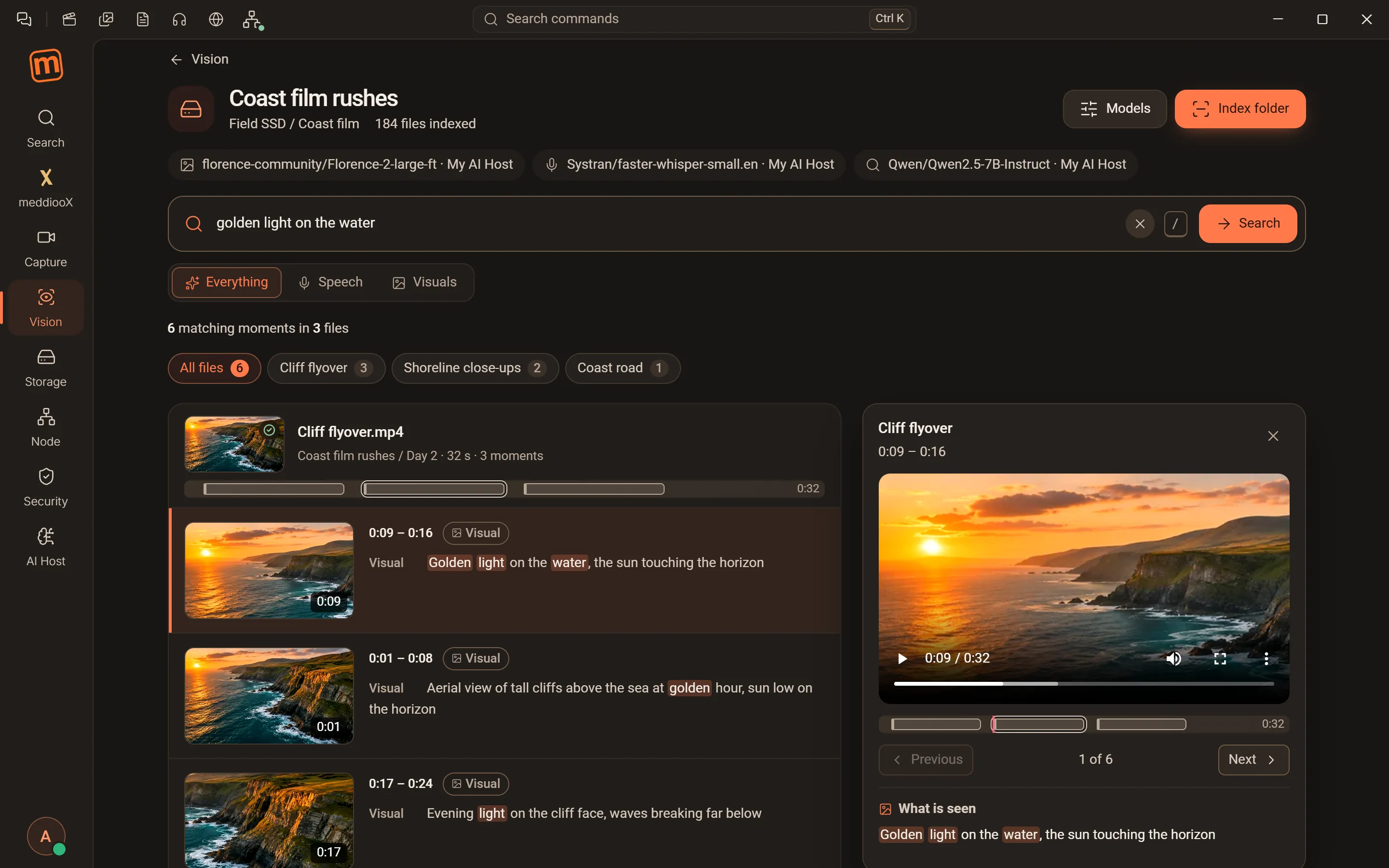
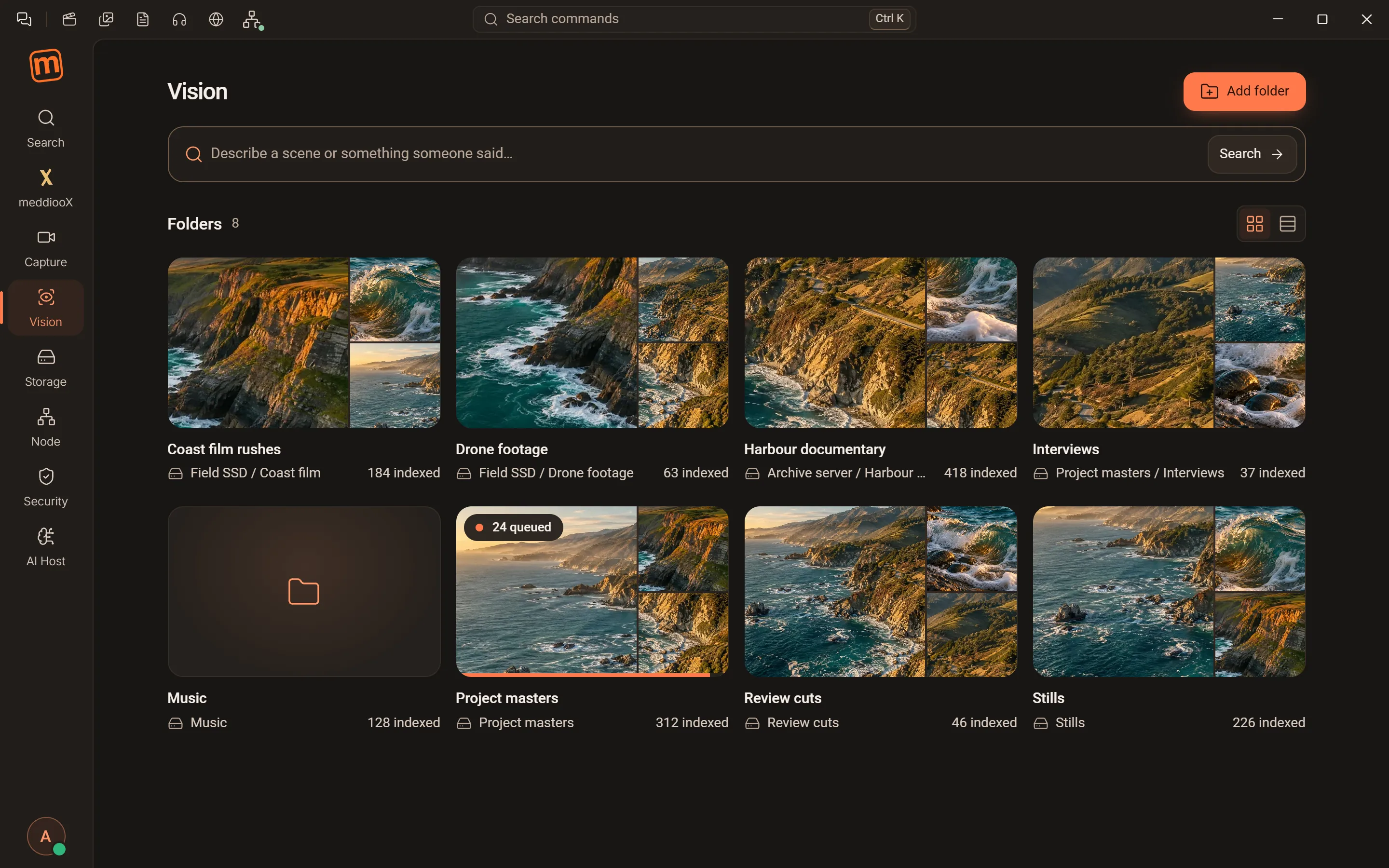
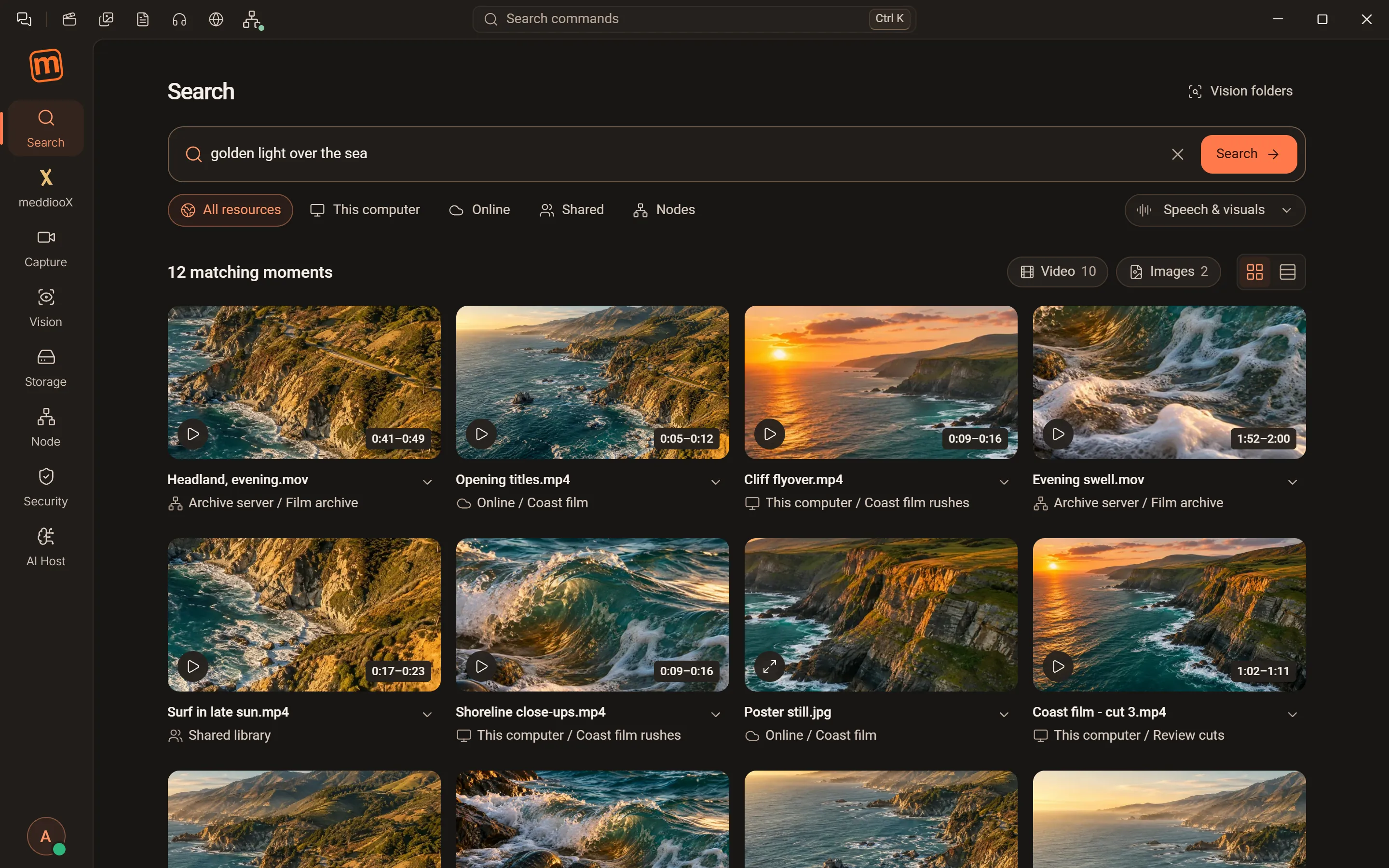
Meddioo Desktop in its default theme, with example data.
What you can do.
Your folders
Add folders on this computer, on external drives, or on a Node.
Pictures and frames
Vision describes pictures and about one frame every 30 seconds of a video.
Speech
With speech turned on, spoken lines become text you can search.
One search
Look on this computer, online, in what is shared with you, and on your Nodes.
Without a connection
Search works offline, and a drive that is unplugged stays searchable.
Local models first
Each step can run on your own AI Host. With Meddioo online it runs only after you see its cost and approve it.
How it works.
Add folders
Choose what Vision may look at.
Let it index
The models you chose describe pictures, frames, and speech.
Search
Write what you remember, in your own words.
Open the moment
A result opens the file at its time.
Good to know.
- The index of a private folder stays on the device. Keeping an online copy is off by default.
- Descriptions made by a model can be wrong. Check them before you rely on them.
- Vision in the desktop app does not recognize faces.
Built into Meddioo Desktop. The app is in development; features and supported systems are confirmed with each release.
Continue exploring.
What will you keep private? What will you share?
Meddioo.net is a vision for both: a network you control, and a marketplace for what you choose to offer.
Explore Ways to Participate